Calculations & Notes
Summa is a notes app for iPhone, iPad and Mac. You jot down your travel budget, below it what’s already booked, and next to the following line you see what’s left per day. Change an amount and the rest falls back into place. No cells, no formula language.


budget = 1500 €
booked = 480 € + 640 €
per day = (budget − booked) / 7   → 54.29 €
On iPhone, iPad and Mac
One purchase covers all three. A model you build on the Mac you carry on with on your iPhone.
A notes app, first of all
Beyond the math, Summa is a fully fledged notes app: headings, paragraphs, a photo in between, lists with boxes to tick off. Notes live in folders, can be searched, pinned, locked with Face ID or Touch ID, and can link to one another. If there’s nothing to calculate, it’s simply a note.
Where the math helps
Wherever you’d normally run a rough estimate before deciding: a quote where the hourly rate is still open, or the question at which term a lease becomes more expensive than buying, interest included. Play it through first, then decide. The note stays, ready for next time.
What Summa can do
Named values
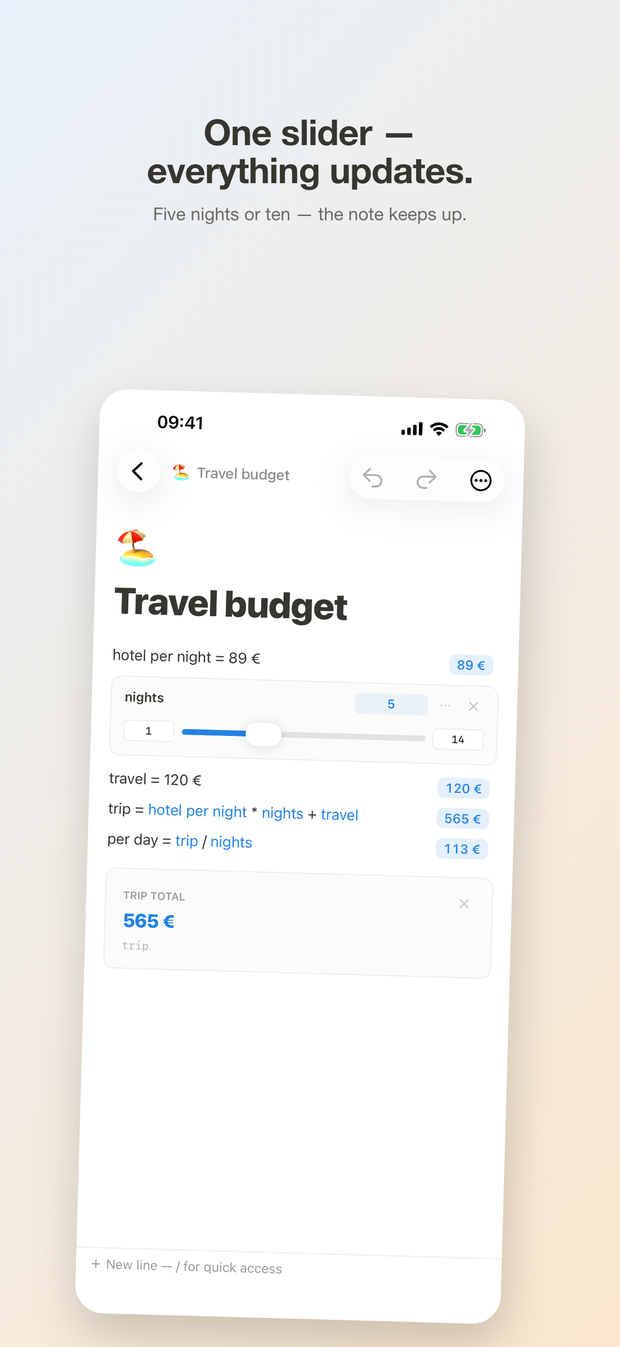
Call an amount “rent” and you can use it further down without typing it again. A slider makes a number something you can grab: drag the hourly rate and the quote total moves with it.
Calculating with depth
Percentages, units and currencies with your own rates — offline too. Dates and deadlines, finance functions like compound interest, savings plan, loan payment, savings goal and purchasing power, plus totals and averages.
Tables & charts
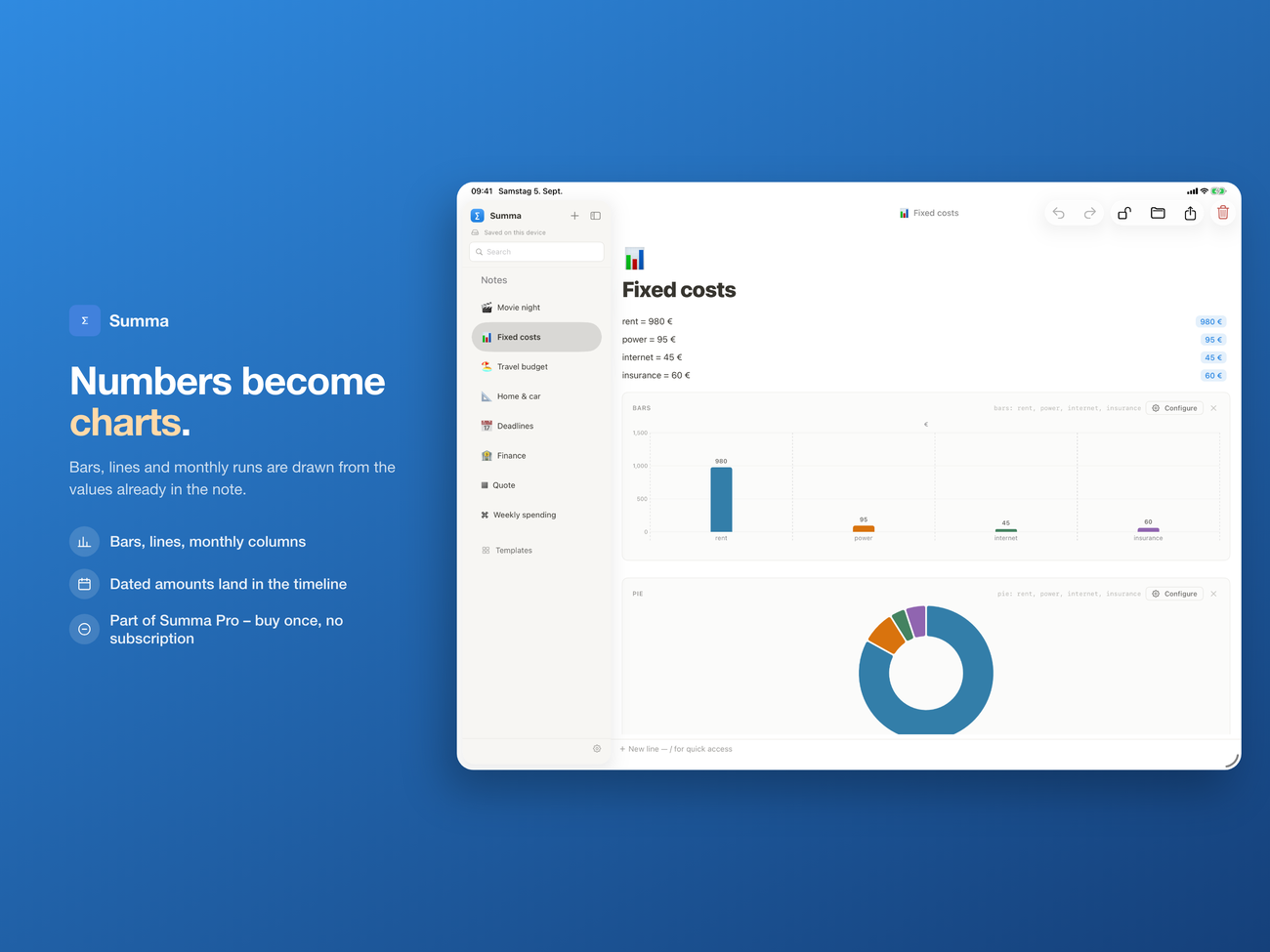
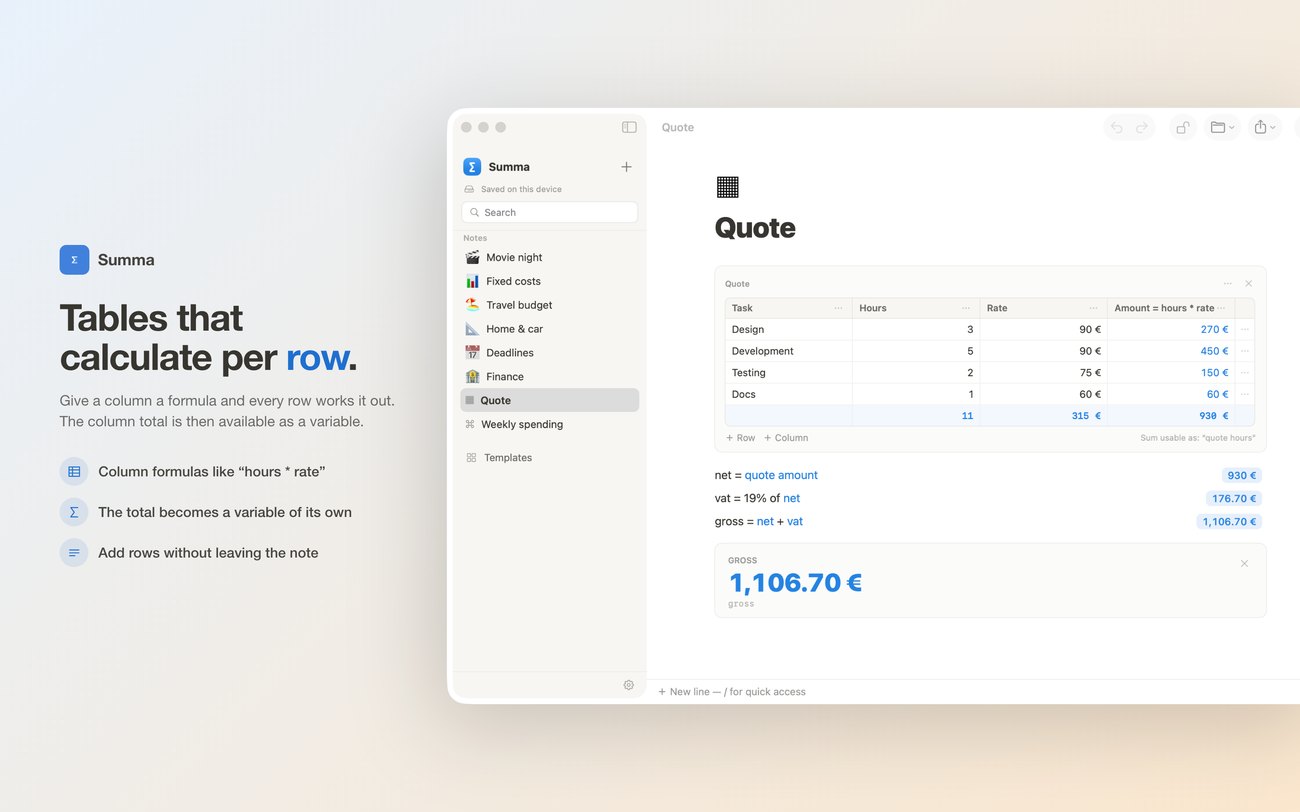
Tables calculate column by column, and the column total is available to the rest of the note. Charts are built from what’s already there — seven types, including several curves from one table. Inserting chart blocks is part of Pro.
Templates
Check utility bills, plan a travel budget, split a bill, compare job offers, write a quote with tax, savings goal, loan, scale a recipe — plus an interactive guide.
On all your devices
Your notes live in your iCloud and are the same on iPhone, iPad and Mac; what you change on the go is already there at your desk. Export as Markdown, CSV and JSON — as PDF and HTML with Pro.
Private
Summa needs no account and collects no data about you. There are no ads. The app works offline; your notes live in your iCloud, and the developer has no access to them.
One purchase, no subscription
Summa is free for up to three notes of your own, with all calculations, tables, sliders and templates. Summa Pro lifts the limit and unlocks charts and export as PDF and HTML: one purchase for iPhone, iPad and Mac, with Family Sharing. No subscription.
Included without Pro as well: export as Markdown, CSV and JSON, plus a backup of all your notes — your data can leave the app at any time.
Summa Pro: one-time purchase · available on the App Store.